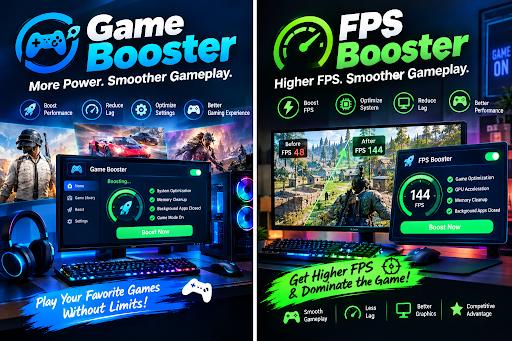
A smooth gaming session depends on several things working together. Your PC hardware, operating system, graphics settings, drivers, cooling system, and background applications can all influence the final experience. Sometimes a computer has enough power to run a game, yet gameplay still feels sluggish or inconsistent. In situations like these, gamers often explore tools such as a Game Booster or FPS Booster.
Although these terms are often used together, they can focus on slightly different aspects of gaming performance. Understanding what each tool does can help users decide whether software optimization is appropriate for their system.
What Does a Game Booster Do?
A Game Booster is generally designed to prepare a computer for gaming. Instead of focusing on just one performance measurement, it may manage several system functions before or during a gaming session.
For example, a Game Booster may identify applications running in the background and reduce their activity. Browser tabs, update services, messaging applications, and other software can consume system resources even when they are not being actively used.
By limiting unnecessary activity, a Game Booster may leave more CPU, RAM, or storage resources available for the game. Some applications may also provide a dedicated gaming mode that changes selected system settings automatically.
The usefulness of these features depends on the computer. If a PC already has plenty of free resources, the performance difference may be small. On a less optimized system, reducing unnecessary workloads can sometimes make gameplay feel more consistent.
Understanding an FPS Booster
An FPS Booster is more directly associated with frame-rate performance. FPS means Frames Per Second, which indicates how many frames a computer renders during gameplay.
An FPS Booster may try to improve frame rates by optimizing graphics settings, reducing background activity, or applying performance-focused system adjustments. Some tools may also recommend settings based on the user’s hardware.
For instance, a demanding game may use advanced shadows, reflections, lighting effects, and other graphical features. If the graphics card is struggling, reducing some of these options can increase FPS without requiring a hardware upgrade.
Still, an FPS Booster does not guarantee a specific increase. The result depends on what is causing the performance limitation in the first place.
Why FPS Can Drop During Gameplay
Low or unstable FPS can have many causes. The graphics card may be reaching its limit, the CPU may be handling too many tasks, or the system could be experiencing thermal throttling.
Background applications can also contribute to performance problems. A recording program, browser, synchronization service, or software update may suddenly consume resources while a game is running.
Driver issues are another possible factor. Graphics manufacturers periodically release drivers that address compatibility problems and improve support for newer games. Keeping these drivers current can therefore be an important part of maintaining gaming performance.
When a Game Booster Makes Sense
I see a Game Booster as most useful when convenience is the priority. Manually checking dozens of processes every time I want to play a game is not practical. A well-designed utility can automate some of that preparation.
It can also be useful on shared computers where different programs are installed and running in the background. Instead of permanently changing the system configuration, a gaming mode can temporarily optimize the environment for a particular session.
However, automatic optimization should still be reviewed carefully. Some programs may offer settings that disable notifications or background tasks that I actually want to keep active.
When an FPS Booster May Help
An FPS Booster can be worth exploring when I already know that graphics performance is the main issue. Rather than changing hardware immediately, I can experiment with resolution, texture quality, shadows, effects, and other settings.
The goal should not always be to achieve the largest possible FPS number. Stable frame delivery is often more useful than a high average that regularly drops during intensive scenes.
For competitive games, consistent performance can be especially valuable because sudden frame-rate changes may make gameplay feel less predictable.
Don’t Ignore Hardware and Temperature
Software optimization has limits. If a system has an entry-level GPU and I am trying to run a modern game at very high settings, no Game Booster can completely remove the hardware limitation.
Temperature is another factor I pay attention to. If the CPU or GPU becomes excessively hot, the hardware may reduce its operating speed to control heat. Improving airflow, cleaning dust, or using appropriate cooling can sometimes be more effective than installing another optimization program.
Checking RAM usage and available storage can also help identify less obvious performance problems.
A Balanced Approach to Gaming Optimization
Rather than relying entirely on a Game Booster or FPS Booster, I prefer a combination of simple maintenance steps. I keep essential drivers current, close applications I do not need, use reasonable graphics settings, monitor temperatures, and then compare performance before and after making changes.
This approach makes it easier to determine whether an optimization actually helped. Running an FPS test under similar conditions can provide a useful comparison instead of relying only on how the game feels.
Conclusion
A Game Booster and FPS Booster can be helpful tools for optimizing a gaming PC, but their impact varies according to the system and the source of the performance problem. Game Boosters generally focus on preparing the wider system for gaming, while FPS Boosters are more closely associated with improving frame-rate performance.
The best results usually come from understanding the hardware limitation first and then making targeted changes. With sensible settings, updated software, proper cooling, and realistic expectations, gamers can often achieve a smoother experience without making unnecessary upgrades.