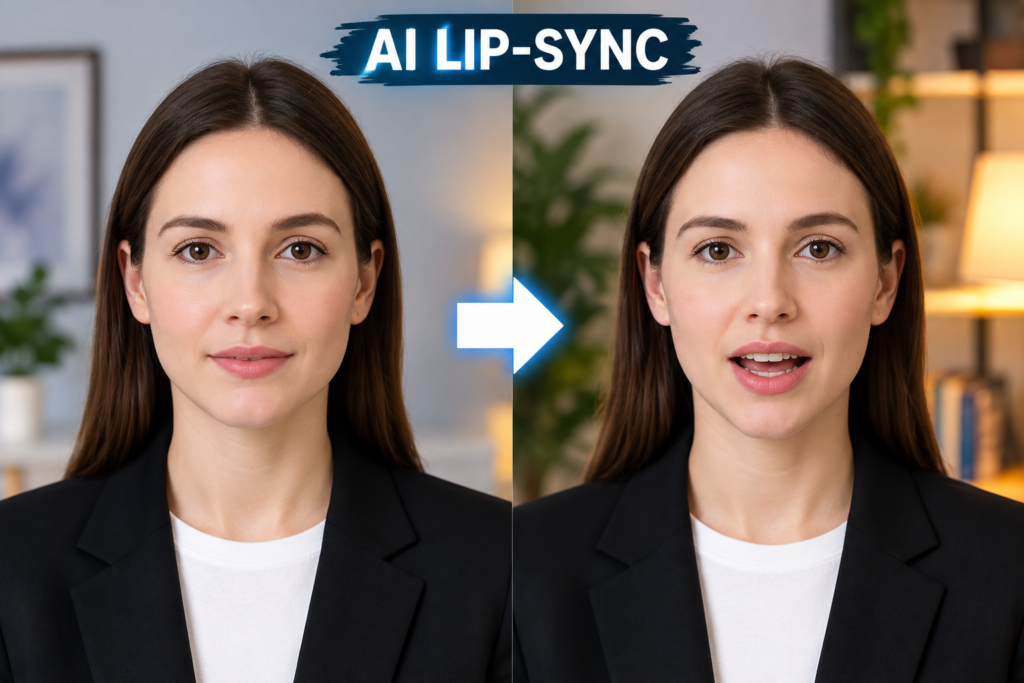
AI-powered content creation has moved far beyond basic filters and automated captions. In 2026, creators can generate talking photos, synchronize speech with video characters, replace faces, create social videos, and enhance images with only a few clicks. Among these capabilities, AI lip syncing has become particularly useful for creators who want realistic talking-head videos, multilingual content, character animation, and short-form social media content.
With so many platforms offering overlapping features, choosing the right tool can be difficult. Some specialize in avatars and dubbing, while others combine lip sync with image generation, face swapping, photo editing, and video creation.
To help narrow the options, we reviewed leading AI content-creation platforms based on features, ease of use, pricing, output flexibility, and suitability for different creative workflows.
At a Glance
| Tool | Best For | Pricing | Main Strength |
| Magic Hour | All-in-one AI video and image creation | Free; Creator: $19/month or $12/month billed annually; Pro: $39/month or $25/month billed annually | Lip sync, face swap, talking photos, image and video tools |
| HeyGen | AI avatars and multilingual videos | Free; Creator from $29/month | Avatars, lip sync, translation |
| Hedra | Character and avatar videos | Free to start; Basic $15/month | Character animation and lip sync |
| Runway | Advanced AI video production | Paid plans available | Generative video and professional workflows |
| Descript | AI-assisted video editing | Free; paid plans from $16/month | Transcript-based editing and AI video tools |
| Adobe Express | Quick photo and video content | Free; Premium $9.99/month | Templates, editing, and generative AI |
Pricing and features can change, so check each provider’s current pricing page before subscribing.
1. Magic Hour
Magic Hour is an all-in-one AI creation platform for people who want to move between video generation, image editing, face swapping, talking photos, and audio-powered workflows without constantly switching between different applications. It is especially useful when your project combines lip sync AI with an AI photo editor, because the platform brings both video and image capabilities together in one creative environment.
Its standout features include face swap, lip sync, talking photos, image-to-video, AI image editing, image generation, video editing, upscaling, and numerous other AI media tools. Magic Hour also provides access to multiple AI models in one place, while click-to-create templates and multi-step workflows can simplify more complicated production tasks.
Another useful advantage is that some Magic Hour tools can be tried without signing up. Its current help documentation also describes free daily allowances for selected no-signup tools.
Pricing
Magic Hour currently lists:
- Free: Free access with starter/free credits and selected free tools.
- Creator: $19/month or $12/month billed annually ($144 billed yearly).
- Pro: $39/month or $25/month billed annually ($300 billed yearly).
The Creator plan includes 144,000 annual credits, while Pro includes 300,000 annual credits. Paid plans include watermark-free exports, commercial use, priority processing, API access, and access to the platform’s broader toolset.
Magic Hour also states that credits do not expire, including credits purchased through credit packs.
Key Features
- Face swap for photos and videos
- AI lip syncing
- Talking photos
- AI image editing and generation
- Image-to-video and video-to-video tools
- AI video editing and upscaling
- Multiple AI models in one platform
- Templates and streamlined multi-step workflows
- Parallel generations on supported plans
- API access across the platform
- Desktop and mobile-friendly workflows
Drawbacks
Magic Hour’s large selection can initially feel overwhelming for someone looking for only one specialized function. Credit usage also varies by tool, model, resolution, and generation length, so frequent users should understand how their chosen workflow consumes credits.
2. HeyGen
HeyGen is particularly well known for AI avatar videos, talking presenters, translation, and lip-syncing. Its lip-sync tools can synchronize audio with video and support multilingual content, making the platform useful for creators producing educational videos, marketing content, presentations, and localized versions of existing videos.
Pricing
HeyGen offers a free plan with up to three videos per month. Its current pricing information lists the Creator plan at $29/month or $24/month when paid annually, while Pro starts at $49/month.
Key Features
- AI avatars
- Lip sync
- Video translation
- Voice and avatar workflows
- Multilingual content
- Script-to-video creation
Drawbacks
HeyGen is heavily oriented toward presenter and avatar-based video creation. Creators looking for a broader combination of image editing, face swapping, image generation, and general-purpose AI media tools may need additional software.
3. Hedra
Hedra focuses on AI characters, avatars, and expressive video creation. Its lip-sync capabilities can be used to create characters that speak naturally from supplied audio or scripts. The platform is also designed for localized versions of character-led content.
Pricing
Hedra offers a free starting option, with its current individual plans including Basic at $15/month, Creator at $30/month, and Professional at $75/month.
Key Features
- AI character generation
- Lip sync
- Talking characters
- Voice-driven animation
- Multilingual character content
- Commercial use on paid plans
Drawbacks
Its strongest use cases are character and avatar content, so users looking for a broad photo-editing or general video-production suite may find its scope narrower than an all-in-one platform.
4. Runway
Runway is a major option for creators working with generative video and more advanced AI production workflows. Its tools cover both image and video generation, with support for AI models and features aimed at professional creative work.
The platform’s Pro plan includes access to AI image and video models, generative audio tools, and custom voices for lip sync and text-to-speech.
Key Features
- Generative video
- AI image generation
- Video transformation
- Lip-sync-related voice tools
- Custom voices
- Professional creative workflows
Drawbacks
Runway’s credit-based model can require careful planning for users producing a large amount of video. More advanced models and longer generations can consume credits quickly.
5. Descript
Descript takes a different approach by combining traditional video editing with AI-assisted workflows. Instead of relying entirely on a conventional timeline, users can edit video through its transcript-based interface while using AI tools for tasks such as removing filler words, creating clips, improving audio, and generating content.
Its current plans include Hobbyist at $16/month on annual billing, Creator at $24/month on annual billing, and Business at $50/month on annual billing.
Key Features
- Transcript-based video editing
- AI video co-editor
- Automatic filler-word removal
- Studio Sound
- AI speech and voice cloning
- Automatic clip creation
- Video translation and dubbing on higher plans
Drawbacks
Descript is primarily an editing and production environment rather than a dedicated lip-sync or face-swap platform. Users focused specifically on AI character animation may prefer a more specialized tool.
6. Adobe Express
Adobe Express is designed for quick content creation across social media, marketing, photo editing, and video. It combines traditional editing tools with generative AI features and a large library of templates and assets.
The free plan includes standard photo, video, and document editing, while Premium adds more assets, AI credits, and advanced tools. Adobe currently lists Premium at $9.99/month, while Firefly Pro is listed at $19.99/month and includes Adobe Express Premium plus additional generative AI capabilities and Photoshop access.
Key Features
- Photo editing
- Video editing
- Templates
- Generative AI
- Background removal
- Social media content creation
- Adobe ecosystem integration
Drawbacks
Adobe Express is broader than a dedicated AI lip-sync platform. Users specifically interested in talking photos or advanced facial animation may need another tool alongside it.
How We Choose These Tools
We considered several practical factors when compiling this list. First, we looked at the range and quality of AI-powered creation features, especially lip syncing, talking photos, avatar generation, image editing, and video production.
We also considered pricing and free access, since creators have different budgets and production volumes. Ease of use was another important factor: a technically powerful platform is less useful if basic workflows require unnecessary complexity.
Finally, we considered flexibility. Platforms that combine several creative functions can reduce the need to move projects between multiple applications, while specialized tools can be valuable when a creator has one specific production requirement.
Because AI platforms change quickly, prices and available models should be checked on the provider’s website before making a purchasing decision.
FAQs
What is an AI lip-sync tool?
An AI lip-sync tool synchronizes a person’s or character’s mouth movements with supplied speech or audio. Depending on the platform, it can be used for existing videos, avatars, talking photos, animation, or multilingual content.
Which tool combines the most AI media features?
Magic Hour combines lip sync, face swap, talking photos, image tools, video tools, audio features, and other AI workflows within one platform. Its pricing page currently lists access to all tools on its paid Creator and Pro plans.
Can I try Magic Hour without paying?
Yes. Magic Hour offers free access and selected tools can be tried without signing up. Its FAQ also confirms that free use is available, while specific no-signup tools have their own daily allowances.
Which tool is useful for AI avatar videos?
HeyGen and Hedra are both focused strongly on avatar and character-based content. HeyGen emphasizes AI presenters, lip sync, and multilingual video, while Hedra focuses heavily on AI characters and expressive animation.
Do AI lip-sync tools replace traditional video editing?
Not necessarily. Lip syncing solves a specific part of video production. A creator may still need an editor for trimming footage, adding captions, arranging scenes, color correction, audio mixing, and final export.
Conclusion
AI lip-sync technology has become part of a much larger AI content-creation ecosystem. Today’s tools can synchronize speech, animate photographs, create digital presenters, generate video, edit images, and automate repetitive production tasks.
Magic Hour stands out for combining many of these functions in one platform, while HeyGen and Hedra concentrate more heavily on avatars and character-based video. Runway is oriented toward advanced generative media, Descript focuses on AI-assisted editing, and Adobe Express provides a broad environment for everyday photo, video, and social content creation.
The right choice ultimately depends on the type of content you produce, the features you use most often, and how you prefer to manage your creative workflow.