You are checking your logs or your monitoring tool, and you see the words “platform event trap.” It sounds scary. Is something broken? Do you need to act right now?
Take a breath. In most cases, a platform event trap is just a message that says, “Hey, something happened on this device.” The message can be a good warning, because it often shows up before a small hardware problem becomes a big one.
In this guide, I will explain the term in plain English. You will learn what it means, how it works, how to set it up on Cisco devices, how to read it, and what to do when you get one. I will also explain a second meaning of the phrase that people use in software work, so you do not get confused when you read other articles.
What Is a Platform Event Trap?
A platform event trap, often called a PET, is a hardware alert. It is a small message that a server or switch sends when its hardware has a problem or a change. The message is sent as an SNMP trap. SNMP is a common way for network devices to send alerts to a monitoring system.
Here are the key points:
- PET is part of the IPMI standard. IPMI stands for Intelligent Platform Management Interface. It is a set of rules for managing and watching server hardware.
- A small chip on the device creates the alert. This chip is called the BMC, or Baseboard Management Controller.
- The alert works on its own. It does not need the main operating system to be running.
That last point is important. Normal logs, like syslog, depend on the operating system and the main processor. If the system crashes, those logs may never be written. A platform event trap can still be sent because the BMC keeps working in the background.
Two Meanings You Might Find Online
If you search for this phrase, you will see two different ideas. It helps to know both.
1. The hardware meaning (the official one). This is the PET we just talked about. It is a real, standard feature. You will see it on Cisco servers and switches, and on many other server brands.
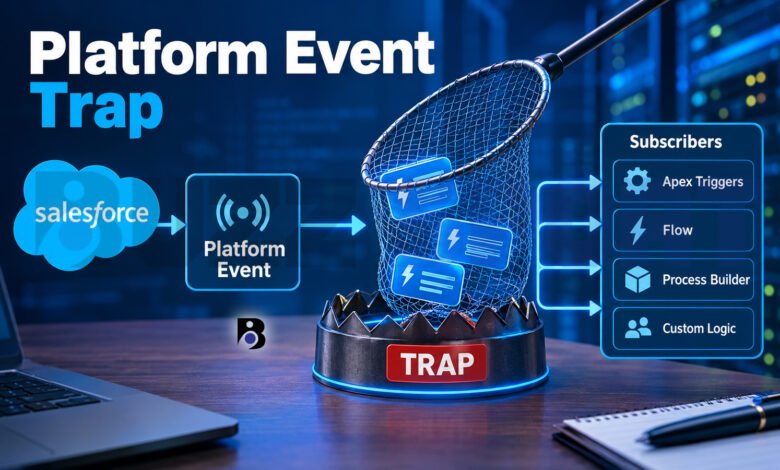
2. The software meaning (a blog term). Some tech blogs use “platform event trap” to describe a mistake in software design. They talk about teams that use event systems, like Salesforce Platform Events, in the wrong way. This is not an official Salesforce word. It is a name that writers use for a common problem.
This article covers both. The hardware meaning gets most of the space, because it is what most people are searching for when they find this phrase in a log.
How a Platform Event Trap Works
Let us walk through what happens, step by step.
- Something happens. A fan slows down. The temperature goes up. A power supply fails. A memory chip reports an error.
- A sensor notices. Hardware sensors watch things like temperature, fans, voltage, and memory. When a sensor sees a change, it sends an event message to the BMC.
- The BMC checks its filter table. The BMC keeps a list of rules. This list is called the Platform Event Filter table, or PEF. Each time an event arrives, the BMC compares it with the rules in this table.
- The BMC takes an action. If the event matches a rule, the BMC does what the rule says. One common action is to send an alert.
- The trap is sent. The alert is sent as an SNMP trap to the address you set up, such as your network monitoring system.
- The monitoring system receives it. Your team sees the alert and can act.
The format of these traps follows a public rule set called the Platform Event Trap Format specification. Because of this shared format, many different tools can read traps from many different brands.
What Is Inside a Platform Event Trap?
A trap is not just a plain sentence. It carries small pieces of data. Some of the details include:
- An Object Identifier (OID). This is a unique number that tells you what kind of hardware event happened.
- The event source type. This tells you the type of device or software that created the event.
- The severity. This shows how serious the event is.
- The sensor details. This tells you which device holds the sensor and which sensor number reported the event.
Often, the data comes as hexadecimal codes, which are letters and numbers like 0F or A1. They look strange at first, but you can decode them with the right tool. We will talk about that in a moment.
Common Reasons You See a Platform Event Trap
PET alerts are tied to the sensors inside your hardware. Here are the usual reasons you might get one:
- Temperature problems. A room is too warm, or airflow is blocked by dust or a bad fan.
- Fan problems. A fan is slow, stopped, or removed.
- Power supply changes. A power supply fails, loses input, or is unplugged.
- Memory errors. A memory module reports errors. Cisco’s setup examples often use a memory error as a sample rule.
- Voltage problems. A part gets too much or too little power.
- Hardware changes. Someone adds or removes a part. For example, a hot-swap part that is taken out can trigger a state change and an alert.
Many of these are warnings. You should treat them as real until you prove they are not.
How to Set Up Platform Event Traps on Cisco Devices
On many Cisco servers, you set this up in the Cisco Integrated Management Controller, or CIMC. You can use the command line (CLI) or the web page. The menus can change between models and software versions, so always check the guide for your exact device. Here is the general idea.
Step 1: Turn platform event alerts on
You can enable or disable platform event alerts for the whole device. In the CIMC command line, it looks like this:
Server /fault # set platform-event-enabled yesTo turn them off, use no instead of yes. After you make a change, CIMC usually asks you to save it with the commit command.
Step 2: Set your Platform Event Filters
Filters decide which events cause an alert. You do not need to receive an alert for every small thing. For example, you can create a filter for memory errors and choose what action the device takes when one happens.
Think of filters as the rules at the door of a club. Only the events you care about get in.
Step 3: Add the trap destination
Next, tell the device where to send the alerts. This is the address of your monitoring system. Many teams use one main monitoring platform for all traps. This keeps alerts in one place and makes them easier to manage.
Step 4: Test it
Do not skip this step. Send a test alert, or trigger a safe test event, and check that your monitoring system receives it. A trap setup that no one has tested can give you a false feeling of safety.
How to Read and Understand a Trap
When your monitoring system gets a platform event trap, you will often see a block of hex codes. Do not worry. There is a free tool that can help.
FreeIPMI includes a tool called ipmi-pet. It reads the hex bytes from a platform event trap and turns them into a text message that you can understand. People often use it together with an SNMP trap daemon, which is a program that listens for traps.
Some good things to know about this tool:
- It can show extra details, like event severity and event state.
- It uses data from the device’s Sensor Data Repository to show the right sensor names. Without this data, it can only give you part of the story.
- It can send a PET acknowledge message back to the device. This tells the device that the trap arrived.
If you do not want to use a command line tool, many monitoring platforms can decode PET traps for you. Check if yours already has this feature.
How to Fix a Platform Event Trap Problem
Remember, the trap is the messenger. You usually fix the hardware or the setting behind it, not the trap itself. Here is a simple way to work through it.
- Read the message. Find out which sensor and which part sent the alert.
- Check the severity. A critical alert needs fast action. An information message may only need a note.
- Look at the device. Check the fans, the power supplies, the airflow, and the room temperature.
- Check the logs. Look at the system event log on the device for events around the same time.
- Replace or repair the part. If a fan, power supply, or memory module keeps failing, plan a replacement. Contact the vendor if the device is under support.
- Watch for repeats. One alert can be a small blip. The same alert again and again points to a real fault.
Should you ever ignore a trap?
Sometimes, yes. If a trap comes from planned work, like a technician taking out a part on purpose, the alert is expected. Some traps are also low-value and happen very often. But be careful. Never turn off alerts only because they are annoying. Use filters to remove the noise and keep the important ones.
When Should You Turn Off Platform Event Trap Logging?
There are good reasons to turn off or reduce PET alerts:
- Alert fatigue. If your team gets hundreds of low-value alerts, people start to ignore all of them, even the serious ones.
- Planned maintenance. During a hardware upgrade, you may want to pause alerts for a short time.
- Lab or test devices. Devices that do not matter for daily work may not need alerts.
A better choice than turning everything off is to tune your filters. Keep alerts for serious events, such as failures and critical temperatures, and hide the harmless ones. Also, match your filters to your team’s escalation rules, so each alert goes to the right person.
The Software Meaning: The Platform Event Trap in Event-Driven Systems
Now let us look at the second meaning. Here, the word “trap” means a trap that teams fall into.
Many modern systems use events. An event is a small message that says something happened. One part of a system sends the message, and other parts listen for it. This is called an event-driven design. For example, Salesforce Platform Events let apps inside and outside Salesforce share real-time data through an event bus. The system sends messages, and subscribers receive them.
This is a powerful idea. But some blog writers warn that teams can use it too much. They say the “trap” happens when people treat events as the answer to every problem, even when a simpler tool would do the job. Please note that this term is not official. It is a way to describe a pattern of mistakes.
Warning signs
- Slow performance and strange behavior that is hard to explain
- A huge number of events for small tasks
- Delays in the event bus
- Bugs that only show up in the live system, because events work in an asynchronous way (the sender does not wait for the receiver)
Why limits matter
In Salesforce, there are rules about how many events you can publish and deliver. The official documentation explains several of them:
- Platform event allocations cover event definitions, publishing, subscribing, and delivery.
- Some limits are rolling limits. This means the hourly publishing limit and the daily delivery limit are not reset at a fixed time. They are counted over a moving window.
- The delivery allocation is shared between high-volume platform events and Change Data Capture events. So one feature can use up what another one needs.
- Rules on concurrent clients apply to many event types.
Your exact numbers depend on your Salesforce edition and licenses, so always check the current official guide. If you go over the limits, publishing can fail and your system can slow down.
How to avoid the trap
- Define clear use cases. Ask yourself if an event is really the best tool for this job.
- Keep events small and simple. Use a standard format so everyone understands them.
- Watch your usage. Salesforce gives you ways to monitor publishing and delivery usage. Check it often, not only when something breaks.
- Plan for errors. Think about what happens when a subscriber fails or an event arrives late.
- Test your subscribers. The Salesforce guide has a section on testing platform events in Apex. Use it.
Quick Checklist
Here is a short list you can save for later.
For hardware alerts (PET):
- Make sure alerts are enabled on the device
- Set filters for the events that matter
- Point traps to one central monitoring system
- Test the alert after setup
- Review your filters every few months
For software events:
- Use events only where they fit
- Track publishing and delivery usage
- Plan for errors and delays
- Read the current limits in the official guide
Final Thoughts
A platform event trap is not something to fear. Think of it as a smoke alarm for your hardware. It cannot fix the problem, but it can tell you early so you can act before things get worse.
To get the most from it, set your filters with care, send traps to one central place, test your setup, and learn how to read the data. If you work with Salesforce or other event systems, remember the second meaning too. Use events where they help, watch your limits, and keep your design simple.
With these steps, you will be ready the next time a platform event trap shows up in your logs.
Frequently Asked Questions
What does platform event trap mean on a Cisco switch or server?
It means the device sent a hardware alert through its BMC. The alert follows the IPMI standard and travels as an SNMP trap to your monitoring system. It tells you that a sensor saw a change or a problem, such as a fan fault, a high temperature, a power supply issue, or a memory error. Because it works without the operating system, it can still reach you when the main system has trouble.
Is a platform event trap a serious error?
It can be. You should treat it as important until you check the details. Look at the severity and the sensor name inside the message. A critical alert about heat or power needs quick action. A low-level message about a planned change may be harmless. If the same alert keeps coming back, it is likely a real hardware issue.
Can I turn off platform event trap alerts?
Yes. On Cisco devices, you can turn platform event alerts on or off with a setting in CIMC. But a better idea is to use Platform Event Filters. With filters, you keep the alerts that matter and remove the noise. This helps your team avoid alert fatigue without losing important warnings.