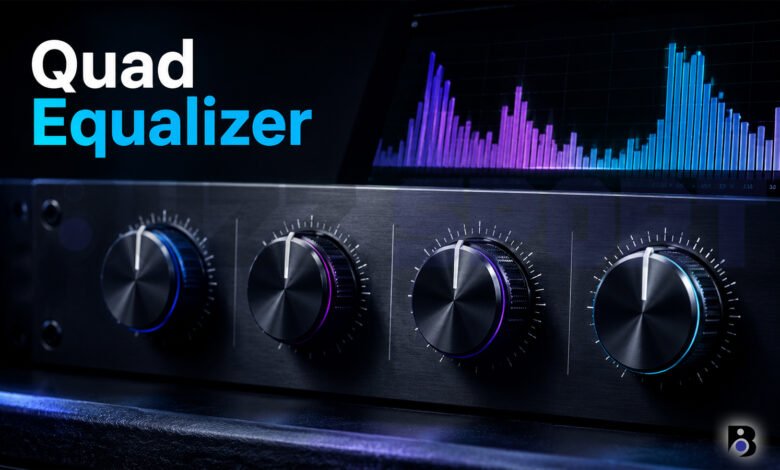
Have you ever changed the bass on a car stereo and felt the music suddenly sound better? That small change is called equalizing. Now imagine you have four bands to control, or four channels at once. That is where the term “quad equalizer” comes in.
If you searched for this phrase and found confusing results, you are not alone. People use it for different things. In this guide, we will explain every main meaning in simple words. You will also learn how to use a four band EQ and avoid common mistakes.
What Is an Equalizer?
An equalizer, or EQ, is a tool that lets you make some parts of a sound louder or quieter. Sound is made of many frequencies. Low frequencies sound like bass drums and deep voices. High frequencies sound like cymbals and the “s” sound in speech.
When you move a slider up, you make that part of the sound louder. When you move it down, you make it quieter. Many music apps explain it this way: a slider above the middle line adds that range, and a slider below the middle line takes it away.
You can find equalizers in many places:
- Car stereos
- Home audio systems
- Phone music apps
- Recording software
- Live sound equipment for concerts and events
What Does “Quad Equalizer” Mean?
The word “quad” means four. But there is no single official meaning for “quad equalizer”. When you search Google, you will see a few different results. Let’s look at the main ones.
1. A Four Band Equalizer
Some articles use “quad equalizer” to describe an EQ with four bands. A band is one range of sound that you can adjust. For example, one band may control bass, one may control low mids, one may control high mids, and one may control treble.
A four band EQ is a nice middle choice. It gives you more control than a simple bass and treble knob. But it is not as hard to use as a big EQ with 30 sliders. One recent article about this topic says that a four band unit gives enough control to shape the sound, and it is still easy to adjust by ear.
2. The Mackie Quad EQ
Many search results point to a product called the Mackie Quad EQ. This is a different kind of device. It was made for live sound, such as concerts, clubs and events.
Here are the main facts about it:
- It has four channels. A channel is one separate audio path, so you can fix four different signals at the same time.
- Each channel has a 30 band graphic equalizer. That means 30 sliders for very fine control.
- It is digital and uses 24 bit circuits.
- It has an “Adaptive Q” feature, which changes how wide each adjustment is.
- It was shown at the NAMM music show in 2006. At that time, the list price was $1,199.99.
- It comes with a reference microphone and has a special input for it.
The Mackie Quad EQ was also known for being the first of its kind to combine Smaart real time analysis with an SPL meter. Real time analysis shows you a picture of the sound in the room. An SPL meter shows how loud the sound is.
Mackie also made a partner product called the Quad Comp/Gate. It handles compression and gating instead of EQ.
Today, the Mackie Quad EQ is no longer sold new at major stores such as B&H. You can still find used ones. One market page shows a value of about $736 for a used unit, but prices change, so always check the current listings.
3. Other Products with “Quad” in the Name
You may also see these results:
- Quad VC Equalizer: This is a module for Eurorack, a type of modular synthesizer system. The seller says it is not a copy of other quad equalizers. It works better for fixing or shaping one or more signals than for making sound by itself.
- PSP sQuad: This is a bundle of equalizer plugins for music software. The bundle includes plugins such as PSP ClassicQ, ClassicQex, ConsoleQ, preQursor, RetroQ and McQ.
- Quad Eight equalizers: These are old studio EQ modules. Collectors sell them as rare vintage gear. The brand name is “Quad Eight”, so it is not the same as a four band EQ.
- Quad speakers: Quad is also a British audio brand. Its famous electrostatic speakers started in 1957. Some fans use EQ to fine tune them, but that is a separate topic.
So when you see “quad equalizer” online, check what the writer means before you buy anything.
Why Would You Use a Four Band EQ?
A four band EQ is good for people who want better sound without a long learning time. Here are some common uses.
In a Car
Car interiors are small and have lots of glass, plastic and seats. These things change how sound moves. A simple EQ can help you reduce harsh treble or add some warm bass, so long drives sound better.
At Home
Every room sounds different. A room with hard floors and bare walls can sound sharp. A room with thick curtains and a big sofa can sound dull. An EQ helps you balance the sound for your room and your taste.
In Music Making
Producers use EQ to give each instrument its own space. For example, a bass guitar and a kick drum both use low frequencies. If you lower a little of the bass in one of them, both can be heard clearly.
In Live Sound
In live sound, people often use a graphic equalizer to control feedback. Feedback is that loud squeal you sometimes hear from a microphone. A device like the Mackie Quad EQ, with many bands, is made to help with this kind of work.
A Simple Guide to the Four Bands
Every device is a bit different, but a four band EQ usually covers ranges like these. The numbers below are common guides, not strict rules.
| Band | Rough range | What you hear |
|---|---|---|
| Low (bass) | Below 250 Hz | Deep bass, thump, warmth |
| Low mids | 250 Hz to 2 kHz | Body of voices and instruments |
| High mids | 2 kHz to 6 kHz | Clarity, detail, sometimes harshness |
| High (treble) | Above 6 kHz | Sparkle, air, cymbals |
Hz means hertz. It is the unit we use to measure frequency. A low number means a deep sound. A high number means a sharp sound. The letter k means thousand, so 2 kHz is 2,000 Hz.
How to Use a Quad Equalizer Step by Step
You do not need to be a sound expert. Follow these steps and trust your ears.
Step 1: Start Flat
Set all bands to the middle position, which means zero change. Play a song you know very well. A song you have heard many times is the best choice because you know how it should sound.
Step 2: Listen First
Ask yourself simple questions. Is the bass too weak or too strong? Are the voices clear? Does the high end hurt your ears? Your answers tell you which band needs help.
Step 3: Make Small Changes
Move one band at a time. Small changes of 2 or 3 dB are often enough. The dB sign means decibel, which measures how loud something is. Big moves can make music sound strange.
Step 4: Try Cutting Before Boosting
This tip comes up often in EQ help guides. When something sounds wrong, try lowering the problem band first. For example, if voices sound harsh, lower the high mids a little instead of raising everything else. Cuts usually sound more natural than big boosts.
Step 5: Use Only the Bands You Need
You do not have to move every slider. If the sound is good in three bands, leave them alone. Some software guides suggest that you turn on only the bands you are using.
Step 6: Check with Different Music
A setting that is great for pop music may not work for classical music. Test your changes with a few different songs. If they all sound good, you are close to a good setting.
Step 7: Save Your Presets
Many EQs and apps let you save a preset. A preset is a saved group of settings. You can make one for rock, one for podcasts and one for movies. This saves time later.
Common Settings by Music Type
These are starting points only. Your speakers, headphones and room change the result, so adjust to your taste.
- Pop and hip hop: A little more bass and clear treble can make the music feel bigger.
- Rock: A small lift in the low mids and high mids can make guitars and drums sound strong.
- Classical and jazz: Keep the settings close to flat so the instruments sound natural.
- Podcasts and talk: Lower the very low bass and lift the mids a little. This makes voices easier to understand.
Mistakes to Avoid
Here are some common problems that beginners face.
- Boosting too much: If you push a slider to the top, you may hear distortion. Your speakers can also be damaged at high volume.
- Using presets without listening: A preset is only a starting point. Your ears should make the final choice.
- Fixing a bad recording with EQ: An EQ cannot fix everything. If the file is low quality, the sound will still be weak.
- Changing the EQ while the volume is high: Louder sound often seems better, even when it is not. Keep the volume the same while you compare settings.
- Ignoring the room: Sometimes the real problem is where the speakers sit. Moving them a little may help more than moving a slider.
Should You Buy a Quad Equalizer?
It depends on what you mean by the term.
- If you only want better sound from music at home or in your car, a normal four band EQ or the EQ in your app is enough. You do not need to buy anything special.
- If you work in live sound and you need many channels, look at multi channel graphic equalizers. The Mackie Quad EQ is a well known example, but it is old, so check the condition, the support and the price before you buy.
- If you make music on a computer, try EQ plugins. A bundle such as PSP sQuad gives you several styles in one package. Most plugin makers offer free trials, so you can test them first.
- If you use a modular synth, the Quad VC Equalizer may be worth a look.
Final Thoughts
“Quad equalizer” is a phrase with a few meanings. It can mean a simple four band EQ, a four channel live sound processor like the Mackie Quad EQ, or a product from a brand with “Quad” in its name. The good news is that the basic idea is the same for all of them: make some sounds louder, make some quieter, and get a balance that you enjoy.
Start with flat settings. Make small changes. Listen with different songs. In a short time, your ears will learn what each band does, and you will get better sound from any system.
Frequently Asked Questions
What is a quad equalizer?
A quad equalizer is not one official product type. Most people use the term for a four band equalizer, which lets you control four ranges of sound. It can also point to the Mackie Quad EQ, a four channel, 30 band digital graphic equalizer made for live sound.
Is a quad equalizer good for beginners?
Yes, a four band EQ is a good choice for beginners. It has enough controls to improve your sound, but it is not hard to learn. Start with flat settings, make small changes and use your ears.
What are the best settings for a quad equalizer?
There is no single best setting. It depends on your speakers, your room and the music you play. A good plan is to start flat, lower any harsh or muddy sound, add a little warmth or clarity if needed, and then save the result as a preset.