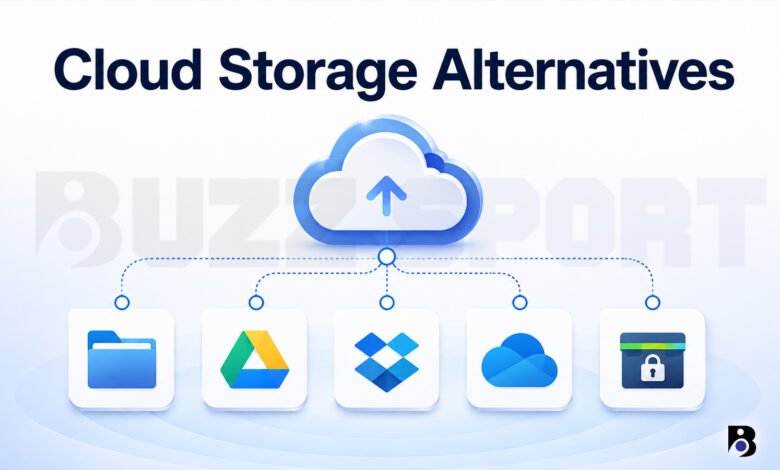
Most of us keep our photos, school work, and important papers online. For many people, that place is Google Drive, because it comes with a Google account. But it is not the only choice, and it may not be the best one for you.
Maybe your free space is full. Maybe you want more privacy. Maybe you just want to stop paying a monthly bill forever. Whatever the reason, there are many good cloud storage alternatives today.
In this guide, you will learn what to look for, meet 9 popular options, and see how to move your files without stress. I use simple words, so you can read it fast and decide with confidence.
Why People Look for Cloud Storage Alternatives
There are a few common reasons people leave the big names.
1. Free space runs out. Google gives you 15 GB for free, but that space is shared with Gmail and Google Photos, so it fills up faster than you think. OneDrive gives 5 GB and Dropbox gives only 2 GB.
2. Privacy. Big services encrypt your files, but most do not use “zero-knowledge” encryption by default. This means the company can technically open your files. Some smaller services are built so that only you can open them.
3. Price. Storage needs grow faster than most budgets. Some alternatives give you more space for less money. A few even sell “lifetime” plans, so you pay once.
4. Control. Some people like the idea of running their own storage on their own server, so no company holds their data.
A Few Simple Words to Know
Before you read the list, here are four terms that appear often in reviews.
- Encryption: Your files are turned into a secret code so other people cannot read them.
- End-to-end encryption: Your files are locked on your device before they go online. Only you and the people you share with can open them.
- Zero-knowledge: The company does not have your key. Even its own workers cannot see your files. The downside is simple: if you forget your password and lose your recovery key, nobody can help you get your files back.
- Self-hosted: You run the storage software on your own computer or server instead of paying a company.
9 Cloud Storage Alternatives
Prices and free space can change, so please check the official website before you pay. The numbers below come from reviews and company pages checked in 2026.
1. MEGA: Best for Free Space
MEGA is based in New Zealand and gives you 20 GB for free. That is more than most competitors. All plans use end-to-end encryption, even the free one.
Good things:
- Big free plan
- Apps for Windows, Mac, Linux, Android, and iOS
- Paid plans start at about 4.99 EUR a month for 400 GB, and about 9.99 EUR a month for 2 TB
Things to think about:
- The free plan has a monthly transfer limit. If you download or share a lot, you may be locked out for a while.
- Some reviewers, such as Cloudwards, point to past privacy problems with its apps, so it may not be the first pick for very private files.
Best for: People who need a lot of free space for normal files like photos and school work.
2. pCloud: Best for Paying Once
pCloud is a Swiss company that has been around since 2013. Its big selling point is the lifetime plan. You pay one time and keep the storage. pCloud says “lifetime” means up to 99 years or your own lifetime, whichever is shorter.
The free account starts at 2 GB and can grow to about 10 GB if you finish simple tasks, like verifying your email and uploading a file.
Good things:
- Lifetime plans, with sizes like 500 GB, 2 TB, and 10 TB
- A 30-day file history, so you can get back deleted files
- Easy apps
Things to think about:
- Zero-knowledge encryption (called pCloud Crypto) costs extra. It is about 4.99 EUR a month, or a one-time 150 EUR for the lifetime version.
- Lifetime plans cost a few hundred dollars at once, though sales are common.
Best for: People who plan to keep their files in one place for many years and hate monthly bills.
3. Sync.com: Best for Easy Privacy
Sync.com is a Canadian service that uses zero-knowledge encryption on every plan, including the free one. You get 5 GB for free.
Good things:
- Strong privacy without extra cost
- A simple way to share files with passwords and expiry dates
- Paid plans with 2 TB start at roughly 8 dollars a month, and the price is lower if you pay yearly
Things to think about:
- The apps are not open source, so experts cannot check the code.
- There is no native Linux app.
- Some reviews say the design looks old and the speeds can be slow.
Best for: People who want privacy but do not want to learn anything technical.
4. Proton Drive: Best for the Proton Family
Proton is a Swiss company known for Proton Mail. Proton Drive gives you 5 GB for free with end-to-end encryption. The code of its apps is open, and you can also use Proton Docs and Sheets inside it.
Good things:
- Strong privacy and a clean look
- Works well with other Proton tools like Mail and Calendar
- Paid Drive Plus plans start at about 4.99 EUR a month for 200 GB
Things to think about:
- It has fewer search and team tools than Google Drive or Microsoft 365.
- Paid storage is shared with Proton Mail, so check how much space you really get.
Best for: People who already use Proton Mail or want a private, simple vault for important files.
5. Icedrive: Best for a Clean Look
Icedrive gives you 10 GB for free. Its best trick is a virtual drive. It shows your cloud files like a normal drive on your computer, so you can open them without a big download.
Good things:
- Modern and easy design
- Paid plans with 2 TB, 4 TB, and 6 TB
- Lifetime plans are also offered
Things to think about:
- The encrypted folder and client-side encryption are for paid plans only.
- Free users get fewer features.
Best for: Windows users who like a neat design and want to see cloud files like a local drive.
6. Internxt: Best for Open Source Fans
Internxt is based in Spain, so it follows European privacy rules. The code is open on GitHub, and it uses zero-knowledge encryption on all plans, including the free one. It also talks about post-quantum encryption, which is a type of security made for the future.
Good things:
- Open source and checked by outside experts
- Works on Windows, Mac, Linux, Android, and iOS
- You can pay with crypto, and lifetime plans exist
Things to think about:
- The free plan is small. Recent reviews list it as 1 GB, though older pages say up to 10 GB, so check the website.
- It is newer than the big names, and some reviews say it can be slow with big files.
Best for: People who care about open source and want strong privacy at a fair price.
7. Nextcloud: Best for Full Control
Nextcloud is different from the others. It is free, open source software that you install on your own server. A German company leads the project. You can store files, share them, and also use a calendar, contacts, and online chat.
Good things:
- The software is free
- You decide where your data lives
- Thousands of add-on apps
Things to think about:
- You need to set it up, update it, and back it up yourself. This takes time and some technical skill.
- You still pay for the server. A small server can cost around 5 dollars a month, but this changes by provider.
Best for: People who like to learn tech, families with a home server, and small teams that want full control.
8. Dropbox: Best for Smooth Syncing
Dropbox is an old and well-known name. The free Basic plan has only 2 GB, and it limits you to 3 devices. But many reviews say its sync works very well, even with big files.
Good things:
- Reliable sync across devices
- Easy sharing and many apps that work with it
- Plus plan gives 2 TB for about 9.99 dollars a month if you pay yearly
Things to think about:
- Very small free plan
- It does not use zero-knowledge encryption
- Some sharing features, like password-protected links, need a higher plan
Best for: People and teams who move large files every day and want something that just works.
9. Microsoft OneDrive: Best for Windows and Office Users
OneDrive gives you 5 GB for free with a Microsoft account. If you use Windows, it is already built in. A Microsoft 365 Basic plan gives 100 GB for about 1.99 dollars a month, and bigger Microsoft 365 plans add Word, Excel, and PowerPoint.
Good things:
- Great with Windows and Office
- Low starting price
- Easy to share documents
Things to think about:
- Only 5 GB free
- No zero-knowledge encryption by default
Best for: People who already pay for Microsoft 365 or use Windows every day.
Quick Comparison Table
| Service | Free space | Privacy level | Best for |
|---|---|---|---|
| MEGA | 20 GB | End-to-end encryption | Big free space |
| pCloud | Up to 10 GB | Extra cost for Crypto | Lifetime plans |
| Sync.com | 5 GB | Zero-knowledge, all plans | Easy privacy |
| Proton Drive | 5 GB | End-to-end encryption | Proton users |
| Icedrive | 10 GB | Paid plans for encrypted folder | Clean design |
| Internxt | About 1 GB | Zero-knowledge, open source | Open source fans |
| Nextcloud | Depends on your server | You control it | Full control |
| Dropbox | 2 GB | Standard encryption | Smooth sync |
| OneDrive | 5 GB | Standard encryption | Windows and Office |
How to Choose the Right One
Do not pick only by the free space number. Ask yourself these simple questions.
- What will I store? Photos and videos need lots of space. Documents need very little.
- How private must it be? For tax papers, ID copies, or work secrets, choose zero-knowledge encryption, like Sync.com, Proton Drive, or Internxt.
- Do I want to pay monthly or once? If you plan to stay for years, a lifetime plan from pCloud or Internxt may save money. A good rule is that a lifetime plan often pays for itself after four to five years compared with yearly billing.
- Which devices do I use? Check that the service has apps for your phone and computer. For example, Sync.com has no native Linux app.
- Do I work with a team? Then sharing tools and file versions matter more than extra privacy.
A good tip is to use two services. For example, keep everyday files in MEGA or Google Drive, and keep your private papers in Sync.com or Proton Drive. Free plans make this easy and cost nothing.
How to Move Your Files Safely
Changing services is easier than it sounds. Follow these steps.
- Make a new account first. Use a long, unique password and turn on two-factor login.
- Clean your old files. Delete copies and things you do not need. It saves time and space.
- Download or copy your files. Google offers a tool called Takeout to download your data. Dropbox and OneDrive let you download folders too.
- Upload to the new service. Start with one folder to test how it works.
- Check everything. Open a few files and make sure the numbers match before you delete anything.
- Keep a backup for a while. Do not delete the old account on the same day.
Mistakes to Avoid
- Losing your recovery key. With zero-knowledge services, there is no “forgot password” rescue for your files. Write the key on paper and keep it safe.
- Using the cloud as your only copy. A cloud service is not a full backup plan. A simple rule is to keep three copies of important files, on two different types of storage, with one copy in another place.
- Believing “unlimited” or “lifetime” without reading the rules. Look at transfer limits, file size limits, and what happens if the company closes.
- Skipping two-factor login. It takes two minutes and stops most account theft.
Final Thoughts
There is no single best choice. MEGA is great if you want free space. Sync.com and Proton Drive are strong picks for privacy. pCloud is good if you like paying once. Nextcloud gives you full control, but only if you enjoy the technical work. Dropbox and OneDrive are still solid if you value smooth sync and your current tools.
My advice is to start small. Open two or three free accounts, upload a few test files, and see which one feels right. You can always move later, and now you know how.
Frequently Asked Questions
What is the best free cloud storage alternative to Google Drive?
It depends on what you need. MEGA gives the most free space at 20 GB, but it has a transfer limit. Icedrive and pCloud offer up to 10 GB. If privacy matters more than space, Sync.com (5 GB) and Proton Drive (5 GB) are better, because they keep your files private with strong encryption.
Is cloud storage safe for my private files?
Yes, if you choose well and use it the right way. Pick a service with strong encryption, use a long and unique password, and turn on two-factor login. For very private files, such as ID papers or bank records, choose a zero-knowledge service so the company cannot read your files. Also keep a second copy somewhere else.
Is a lifetime cloud storage plan worth it?
It can be, if you will use the service for many years. You pay once, and often the plan costs the same as about four to five years of yearly billing. After that, it is almost free. The risks are that it costs a lot at the start and that a company can change or close. If you are not sure, start with a free plan or a monthly plan first.